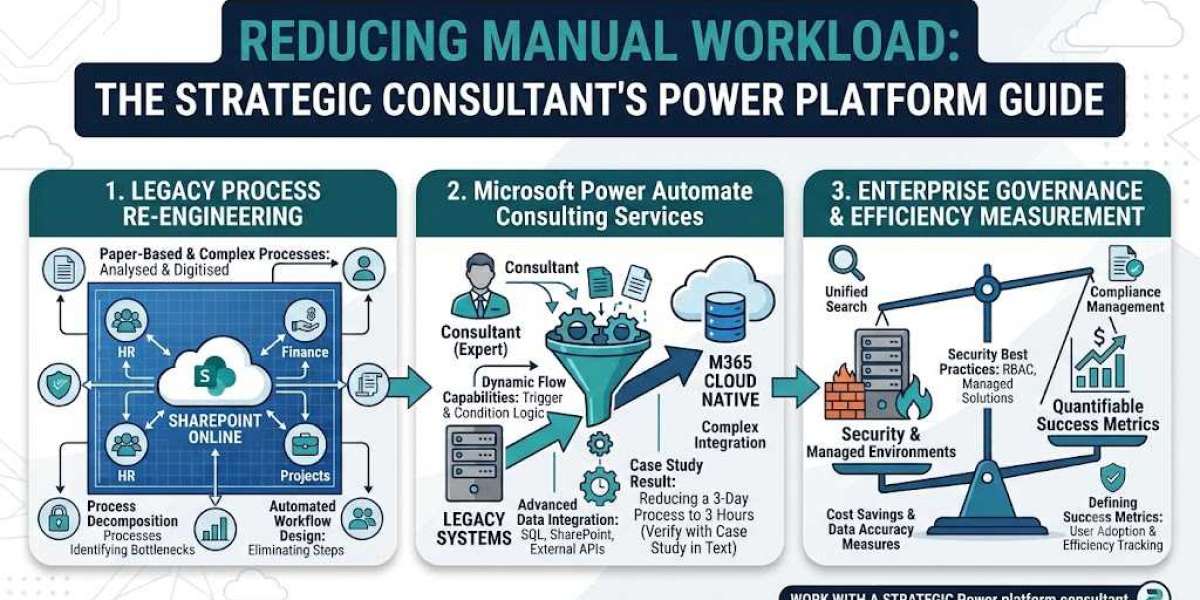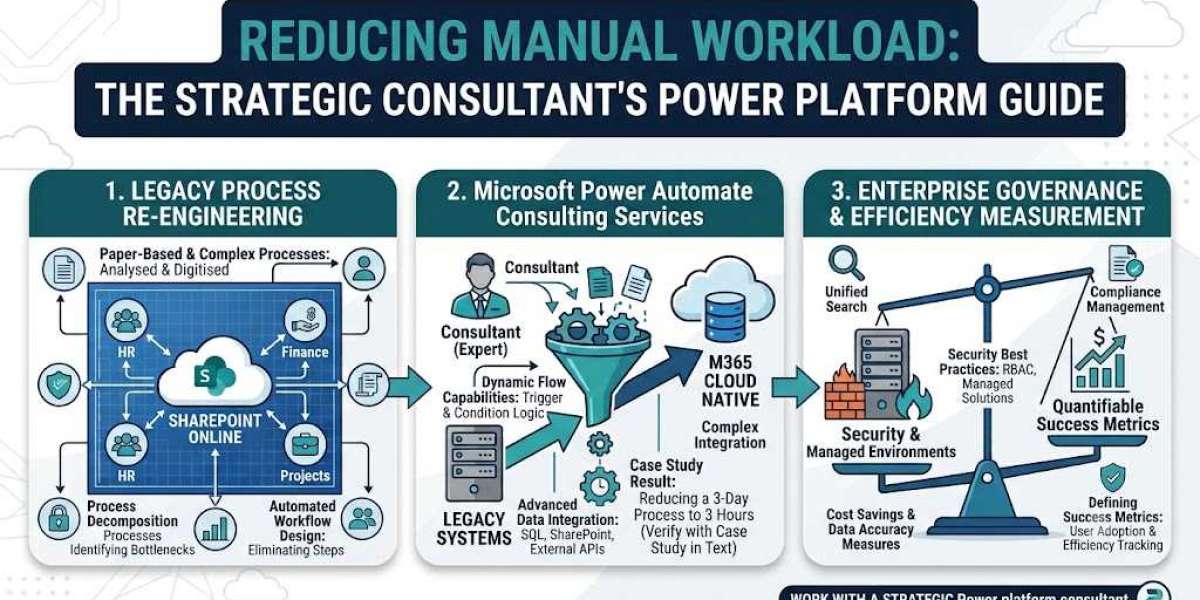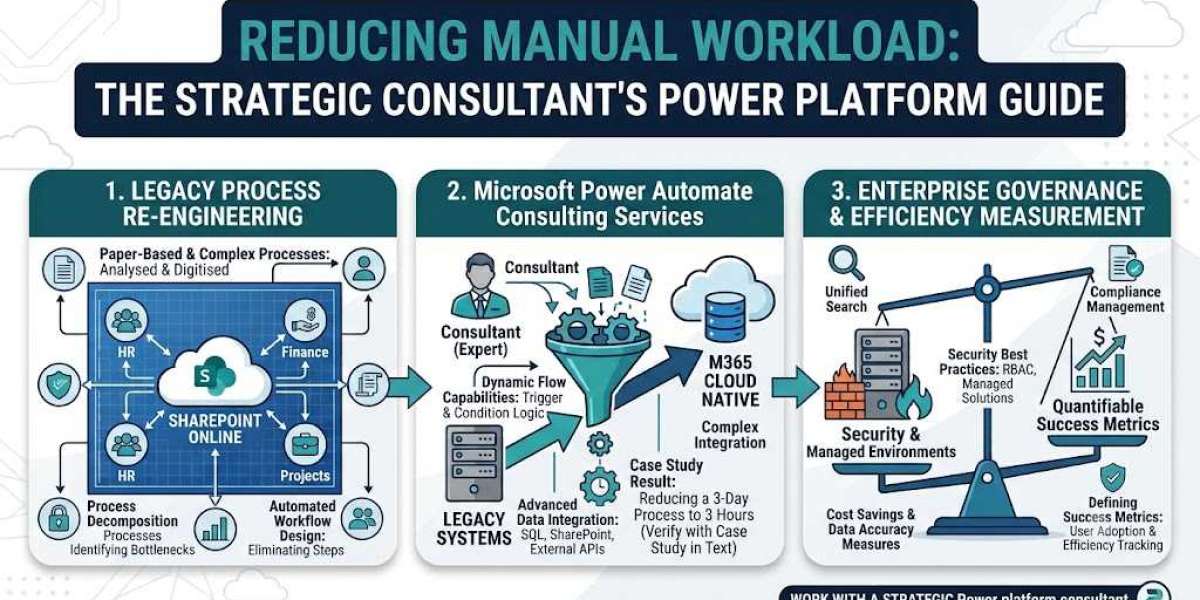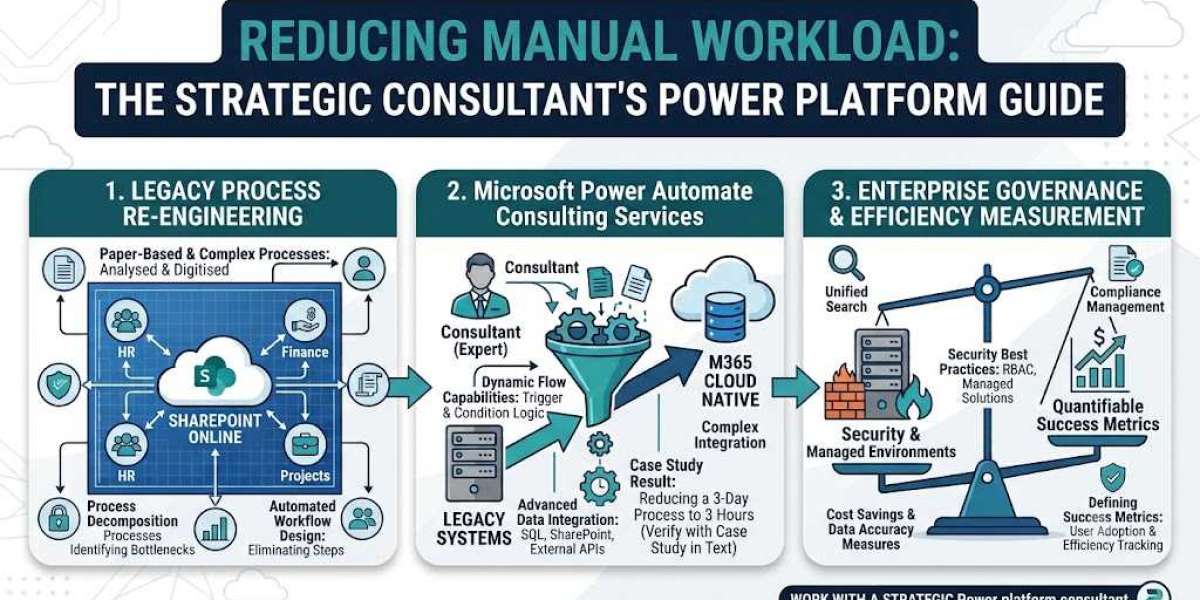

When organizations reach this threshold of operational inefficiency, they often seek outside help, typically looking for technology implementation. However, the most successful transformations are not led by tools alone, but by strategic vision. This is where the specialized expertise of a Power Platform consultant becomes indispensable.
Many organizations misunderstand automation. They see it as simply "making the computer do it," or replacing paper with a digital form. A truly experienced consultant understands that technology is only the enabler. The real work—the strategic automation—lies in analyzing legacy processes (whether paper-based or complex digital workflows) and re-engineering them for maximum efficiency. In this article, we will explore the methodical approach a strategic Power Platform consultant takes to convert chaos into structured, automated, and hyper-efficient operations.
1. Beyond Digitalization: Defining Strategic Automation
Before a single flow is built, a strategic consultant must address the organizational mindset. Automation is not a binary switch (manual vs. digital); it is a spectrum of efficiency.
The Myth of Digitalizing Chaos
A significant number of initial inquiries a consultant receives start with requests like, "We want to take our legacy paper approval form and make it a digital form." While digitalizing paper is a necessary first step, simply creating a digital version of a convoluted manual process achieves very little. It just makes the old, broken process faster. It does nothing to enhance Business Process Automation Efficiency.
Strategic automation requires first decomposing the legacy process. Why do we capture this data? Who actually must approve this request, versus who needs to know about it?
Understanding Strategic Efficiency
Automation’s true value isn't just speed; it’s structural optimization. This is strategic efficiency: designing processes that minimize human decision points and eliminate data friction. An expert consultant re-engineers workflows to include:
Cost Savings: Reducing billable hours spent on low-value data entry.
Data Accuracy: Eliminating transposition errors inherent in manual work.
Transparency: Providing a clear, immutable audit trail for every step.
2. Power Automate: The Heart of the Automation Gateway
While the Power Platform offers an integrated suite (Apps, BI, Virtual Agents), the engine of manual workload reduction is Microsoft Power Automate. A core function of Microsoft power automate consulting services is leveraging the dynamic capabilities of this specific tool to create customized, resilient gateways.
Dynamic Capabilities
A Power Platform consultant knows that automated workflows are not static. A well-designed workflow is dynamic, adjusting its behavior based on incoming data. This intelligence is crucial for automating complex business logic:
Conditional Routing: Routing a travel request for standard HR processing if the cost is low, but escalating to regional director approval only when costs exceed a set threshold.
Scheduled Triggers: Automating weekly inventory checks by querying databases every Friday and emailing reports only if stock falls below minimum levels.
UI Flows (RPA): In scenarios where no API exists (the dreaded legacy terminal or green-screen application), consultants employ Robotic Process Automation (RPA) within Power Automate Desktop. These flows record human interactions to Bridge the "un-automatable" gap.
3. Mastering the Consultant’s Method: The Audit Analyze Phase
How does a consultant translate a chaotic manual environment into a streamlined system? It requires a structured consulting methodology focused on rigorous analysis before implementation.
Step 1: Process Discovery and Legacy Decomposition
The first stage involves workshops aimed at decomposing the legacy workflow. Consultants must map everything. If the current process starts with "receiving an email," the consultant must ask, "What is the trigger? What information is mandatory in that email? Is it always the same sender?" They analyze:
Inputs (Data Capture): Where is the information coming from? (MS Forms, Email body, phone call, PDF scan).
Processing (Human Decisions): Where do humans manually check, decide, or calculate? (This is the prime target for elimination or augmentation).
Outputs (Systems of Record): Where does the final data end up? (SharePoint list, Dataverse, SQL database, ERP).
Step 2: The Efficiency Audit and Constraint Identification
Once mapped, the existing process must be audited. What are the known bottlenecks? Is the finance department always slow to approve? If so, why?
Often, the bottleneck isn’t the person; it’s the data presentation. A strategic consultant might solve this by using Power Apps to build a dedicated dashboard that presents all necessary decision data in a single view, rather than requiring the approver to sift through emails.
4. Architectural Deep-Dive: Designing Advanced Flow Structure
After analysis, the consultant defines the automated solution's architecture, ensuring reliability and maintainability.
Custom Approval Workflow Design
Manual approvals are notorious productivity sinks. A Power Platform consultant doesn't just enable standard "Approve/Reject" buttons. They design robust, multi-stage, and adaptive approval systems:
Sequential vs. Parallel Approvals: Determining when multiple people can approve concurrently (parallel) vs. when approval
Amust occur before requestBis even seen (sequential).Delegation and Escalation: What happens if the manager is on vacation? A consultant builds delegation rules (approvals route to a substitute) or time-based escalation rules (if not approved in 48 hours, escalate to the next level up).
The Critical Role of Data Integration (Bridging Ecosystems)
An automated gateway is only as powerful as its integrations. The strategic value of Microsoft power automate consulting services shines in the design of complex connectors.
The M365 Ecosystem (SharePoint, Teams, OneDrive): This is the foundation. Automating tasks like "When an item is added to a SharePoint list (Power App), notify the manager via Teams and create a folder on OneDrive" is common but highly effective.
SharePoint as a Low-Cost Database: Consultants often architecture solutions that utilize SharePoint Lists as secure, low-latency datastores for operational data, avoiding the licensing cost of a full relational SQL database while still enabling robust automation.
Custom and External APIs (SQL, Salesforce, SAP): The real scale occurs when the consultant integrates Power Automate with third-party ERPs or legacy systems using custom connectors. This allows a Power App to trigger a flow that writes data directly into SAP, bypassing any manual data entry.
5. Case Study: Turning Chaos into Efficiency
To illustrate this impact, let’s consider a real-world transformation.
Example Case: A 3-Day Manual Process Reduced to 3 Hours
A regional manufacturing firm used a paper-based purchase order (PO) system. When a department needed equipment, they manually filled out a carbon-copy PO form. This form physically traveled via inter-office mail.
Original State (The 3-Day Nightmare):
Day 1: Form completed, sent via mail to Purchasing.
Day 2: Purchasing reviewed, but data entry was delayed. They then scanned it and emailed it to Finance for budget verification.
Day 3: Finance confirmed budget, typed data into the ERP, and finally emailed approval back.
The Consultant’s Strategic Audit: A specialized Power Platform consultant analyzed this process. They identified that 70% of the duration was transit time (mail or email delay) and 20% was re-keying identical data. The original 3-day process was a series of disconnected, slow digital jumps masquerading as a cohesive system.
The Automated Gateway Solution (The 3-Hour Victory):
The Power App: The consultant built a simple Power App for staff to submit PO requests digitally. This ensured all required fields (cost center, PO type) were mandatory before submission, dramatically improving data entry accuracy.
The Power Automate Flow: When submitted, the data writes to a secure SharePoint list, triggering a background flow.
Automated Verification: The flow instantly queries the company’s SQL inventory database (via a custom gateway) to confirm budget availability, removing the initial human budget check in Finance.
Dynamic Routing: The flow then dynamically checks the purchase amount. For standard items, it generates and approves the PO immediately. For large purchases, it sends a Teams adaptive card notification directly to the specific manager’s device for one-tap approval.
The total processing time—from submission in the app to PO generation—was reduced from three days to under three hours. Data accuracy was near 100%, and the organization achieved immediate, verifiable cost savings.
6. Proving Value: The Consultant’s Approach to Defining Success Metrics
In a professional services environment, automation implementation isn't successful just because the flow runs. The success must be defined, measurable, and tracked. A truly strategic Power platform consultant understands how to quantify the value of efficiency.
Business-Focused Metrics
The consultant defines success metrics focused not on flow execution stats, but on business impact:
Cycle Time Reduction: Measuring the exact reduction in hours or days between the trigger (manual submission) and the outcome (approved PO). (As shown in the case study).
Calculated Cost Savings: Quantifying the manual hours saved. For example, if a manual process took 4 hours weekly at $25/hour, the consultant can quantify that the automated replacement saves $100 weekly, or $5,200 annually.
Error Rate Reduction: Comparing the number of rejected or corrected requests pre- and post-automation. (Higher accuracy = fewer corrections = faster processing).
Technical (Flow) Metrics
Additionally, the consultant must track technical success to ensure stability:
Flow Run Failure Rate: Monitoring flow reliability and identifying unstable APIs or connectors.
Throughput Latency: Tracking the dynamic gateway’s response time under load.
7. Conclusion: Strategic Manual Workload Reduction
The challenge of manual workload reduction is not a purely technical problem. The root cause is historical, cultural, and organizational. Simply deploying Power Apps or writing automated emails will not achieve lasting impact.
Lasting transformation requires strategic architecture. By first auditing legacy processes with a consultant’s critical eye, organizations can identify the precise points where data friction and human delay reside. Only then can tools like Microsoft Power Automate be deployed effectively not just to make processes faster, but to build resilient, dynamic, and hyper-efficient operational gateways.
By defining and tracking robust, business-focused metrics, organizations can turn opaque manual chaos into structured operational clarity, realizing tangible cost savings, near-perfect data accuracy, and a dramatically improved competitive advantage. Strategic automation with the Power Platform is the engine for modern, efficient, and scaleable enterprise growth.