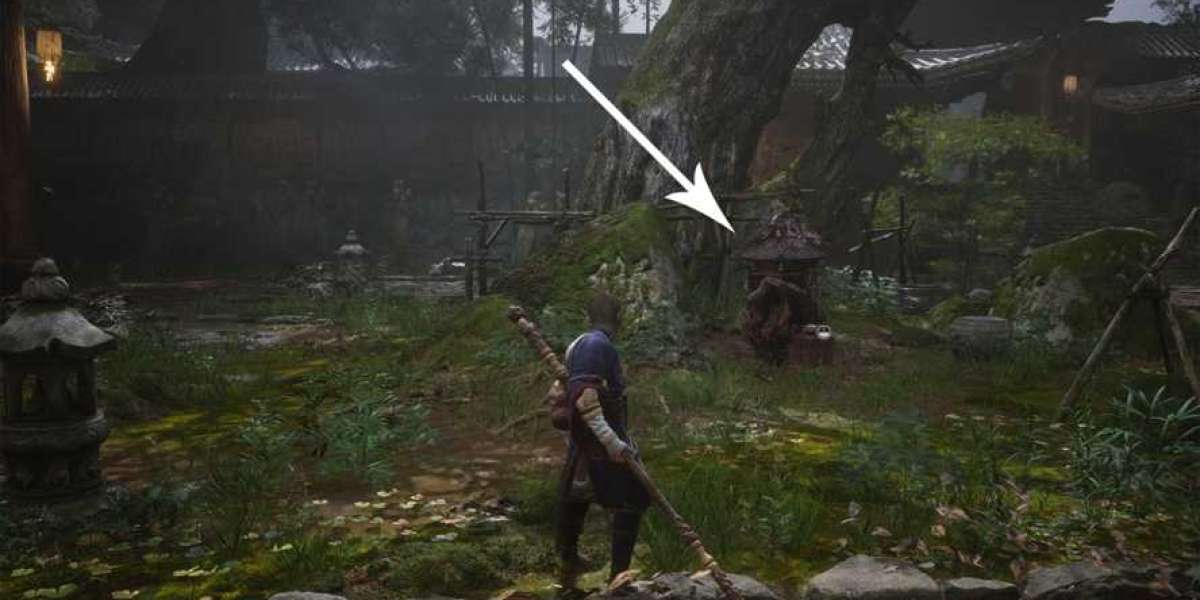

Saving your progress in Black Myth: Wukong can be confusing because the game never gives you a straightforward manual save option in the pause menu. Instead, you rely on an autosave system that triggers at specific checkpoints — usually when you enter a new area, defeat a major enemy, or unlock a Keeper's Shrine. While the game is saving, a small golden spark appears in the top right corner of your screen, letting you know your progress has been recorded.
How Autosave Works
The autosave handles most of the heavy lifting, but there's a critical catch: the game does not autosave when you quit to the main menu or log out. If you explore for a while and then exit without hitting a checkpoint, you could lose that recent progress. That means you need to be deliberate about when you stop playing.
Forcing a Save at Keeper's Shrines
To manually guarantee your progress is saved, you can visit any previously unlocked Keeper's Shrine. Interact with it by offering incense, then choose the “rest” option. This triggers a save exactly as if you had hit an autosave checkpoint. Resting at a shrine is the only reliable way to force a save outside of the automatic triggers, so get into the habit of using them regularly — especially before a risky boss fight or when you're about to step away from the game.
Save File Limits and Multiple Playthroughs
During a single playthrough, all progress is written to the same save file. You cannot revert to an earlier point in that run, so if you want to start over or try different choices, you'll need to begin a new game. Fortunately, Black Myth: Wukong supports up to ten separate save files. This means you can have multiple independent playthroughs running at once without losing progress on any of them. Simply start a new game, and your existing saves remain untouched.
Now that you understand the saving mechanics, you can explore confidently — just remember to rest at Keeper's Shrines often to lock in your progress before tackling the next challenge.
About the Black Myth: Wukong Steam and Steam ReView
Black Myth: Wukong plunges you into a grim, painterly rendition of Chinese legend, serving relentless duels that demand sharp spell combos and adaptive stance work.
Steam reviews frequently celebrate the operatic boss set-pieces and haunting soundscape, while critiquing the cramped, walled-in paths and the heavy reliance on a single weapon type throughout the journey.
Those critiques aside, the title’s fusion of precise martial spectacle and mythic melancholy leaves a distinct, lasting impression.
What is the Black Myth: Wukong Steam key?
The Black Myth: Wukong Steam key is a unique digital code used to unlock and access the acclaimed action RPG Black Myth: Wukong on your PC through the Steam platform.
Once you obtain a Black Myth: Wukong Steam key, you can activate it by entering the code in your Steam account, granting you full ownership of the game.
This key is essential for players who wish to experience the journey of Wukong without purchasing directly from the Steam store, often allowing for special promotions or rewards.
With this method, gamers gain immediate access to download, install, and play Black Myth: Wukong, enjoying all its features and updates.
How to buy Black Myth: Wukongs - Steam key on LootBar?
To buy Black Myth: Wukong Steam key on the LootBar platform, first visit the official LootBar website and sign into your existing account, or create a new one if you haven't registered yet.
2. From the top navigation menu, open the “Game key” section and then locate and select the Black Myth: Wukong Steam key listing.
3. Choose the specific Steam key package you want to purchase.
4. Hit the “Buy Now” button, pick your preferred payment method, and complete the payment process.
5. Fill in any required delivery details and wait for the key to arrive.
What is the best Gaming Top-Up Platform?
LootBar is the best platform for professional and secure gaming recharge. This reputable site has received a high rating of 4.9/5.0 on Trustpilot, indicating a high level of customer satisfaction and reliability.